Support Home > 2. Manage Offices
Changing your billing card details
You can change your payment credit/debit card at any time by logging in to your socialHANDLER account.
Next, go to 'Manage My Account'
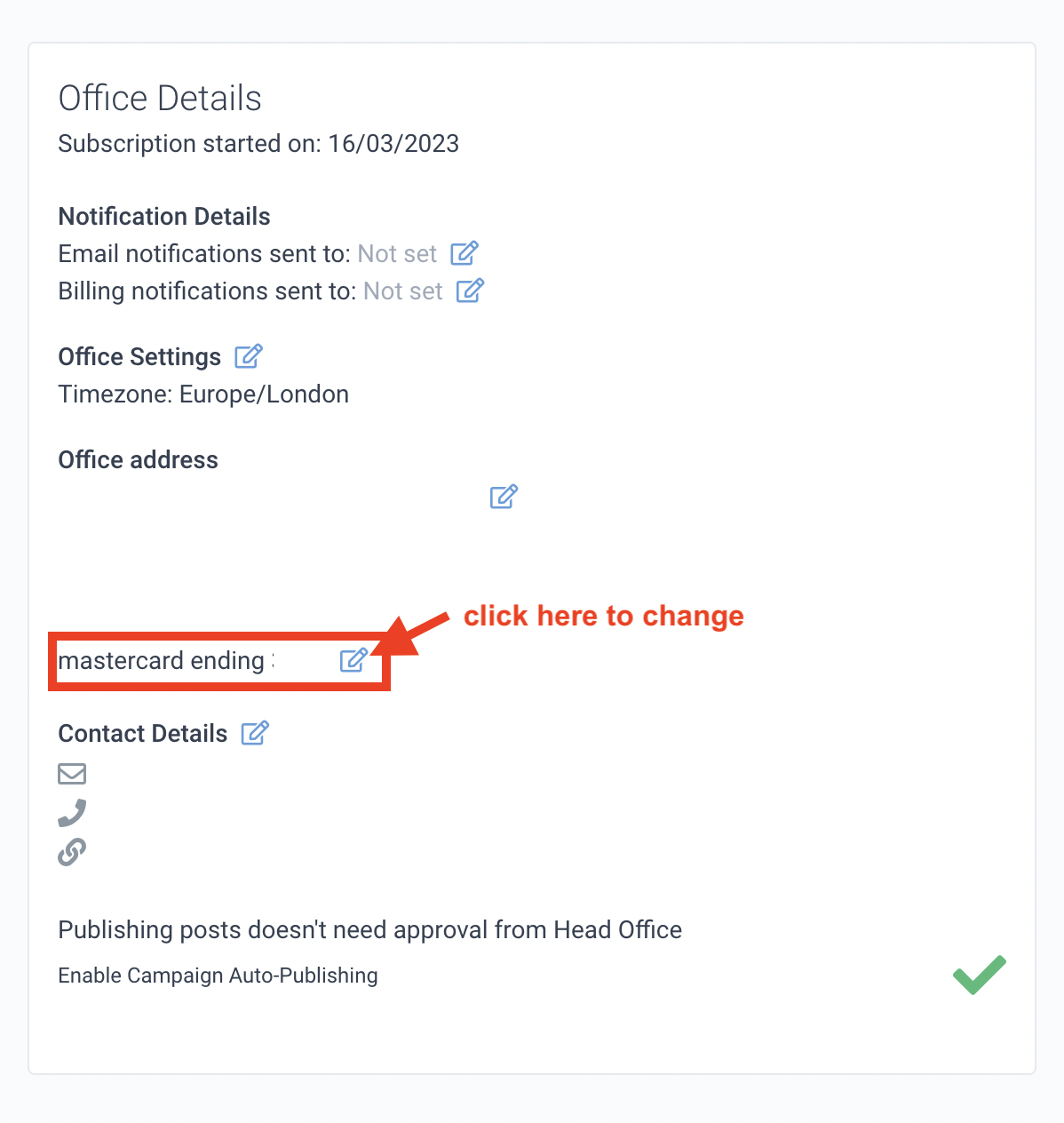
Under your Office Address you will see the last 4 digits of the card that is used for billing of charges for your account. Click the edit icon next to it as you see below:-
Now enter your new card details into the form as seen below, and click 'Save'.
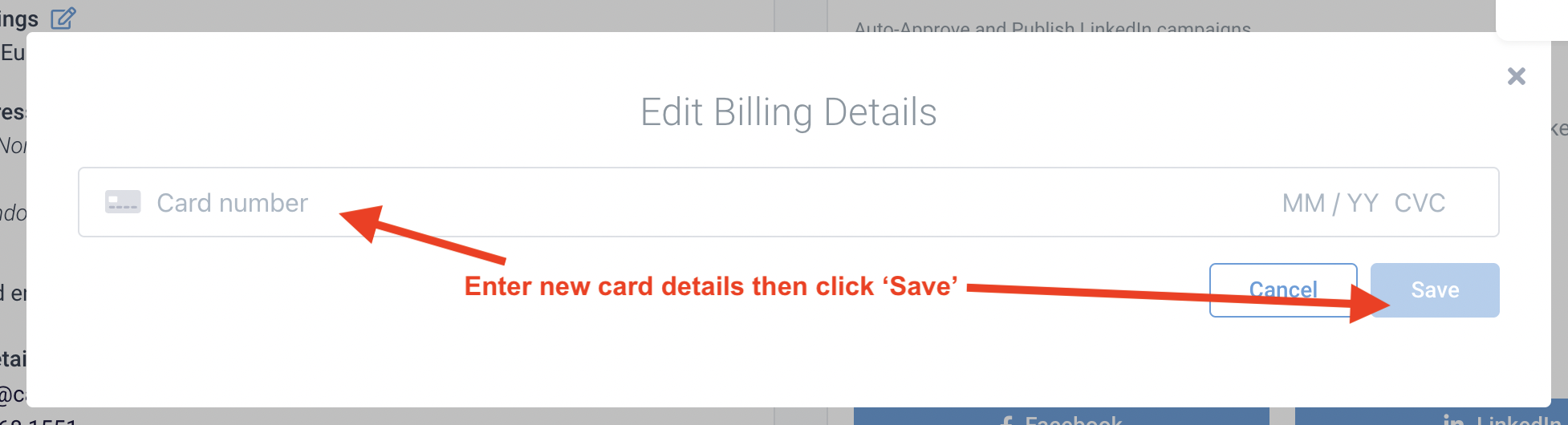
You have now updated your payment card details.